
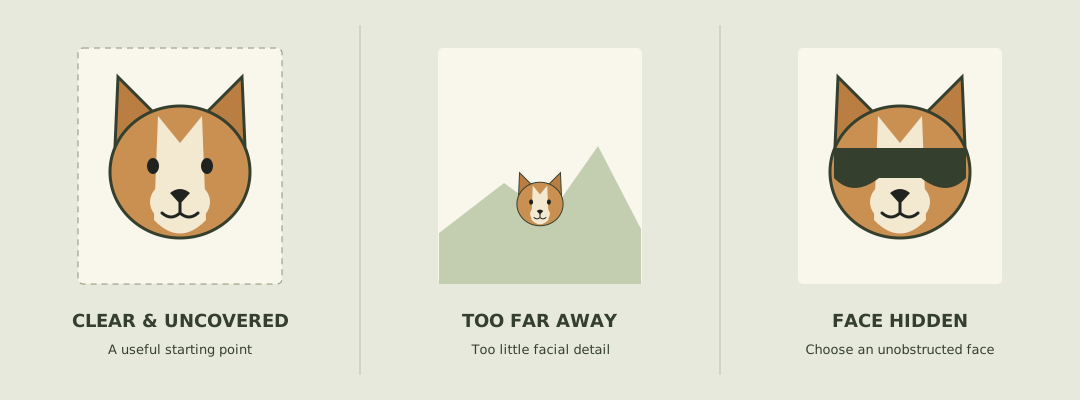
What photo should I use?
Choose a well-lit photo from around your pet’s eye level. A front or gentle three-quarter angle makes its face easier to see. Leave some space around the head instead of cutting off ears or whiskers.
- One animal in the frame, with a recognizable face.
- Sharp eyes and visible fur markings, without heavy filters.
- Unobstructed muzzle; remove photos with a toy or hand covering the face.
- A simple background helps you inspect the subject before uploading.
Which photos should I avoid?
Avoid dark, blurry, tiny or heavily edited images. A distant animal, an extreme side profile or several pets in one photo makes the intended subject ambiguous. A large file does not fix a photo that is already out of focus.
Why does my pet’s face look strange?
AI reconstruction can change facial features or animal proportions as the head moves. A sharper input may help, but cannot guarantee a stable identity. Pet heads and paws also differ from the human driver in the reference scene.
Check the input
Compare the uploaded image with the original file. Try a clearer photo without an accessory across the face.
Check the entire result
Look at turns, gestures and the final frame. A good first frame does not establish consistency across the clip.
Change one thing
If you choose to retry, change the photo or framing deliberately. Every new generation spends credits; identical retries are not a quality guarantee.
Can I use a person instead of a pet?
Yes, use a clear portrait of yourself or another consenting adult. Get permission before uploading someone else’s photo. Photos of minors are not permitted. Do not use a fictional edit to suggest that a person actually said something or endorsed a product.
What happens to the photo after upload?
The photo is stored for your task and sent to the services that check and generate the video. There is no automatic deletion deadline. You can remove uploads and finished videos in Settings → Files. Contact support to request removal of intermediate images; see the privacy policy for details and provider copies.